Mixva
Polish. Credit. Publish.
Everything you need to prepare a DJ set, from recording to release.
macOS only · 15.6 Sequoia or later · Apple silicon or Intel
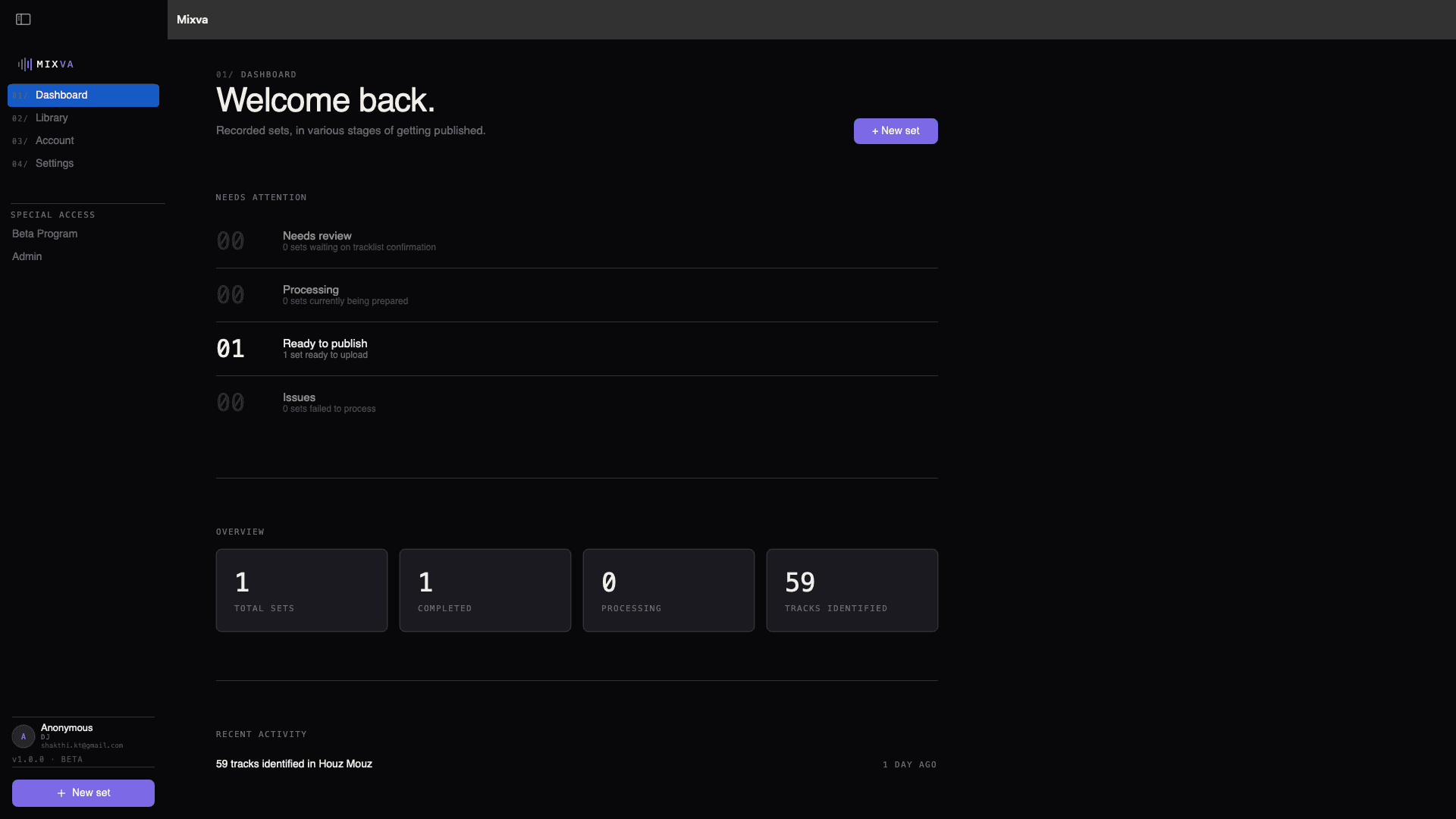
01 / How it works
Six steps. No spreadsheet.
- 01 / Import
Drop the recorder files in. WAV, MP3, FLAC, M4A, AIFF. Multiple files join in order, so a long set split across the recorder’s SD limit still lands as one continuous mix.
- 02 / Edit
Silence detection trims the head and tail. Choose your fade in and fade out from the waveform. Audition the seams before you commit.
- 03 / Sound
BS.1770 measures integrated LUFS + true peak on your file. Pick peak-safe gain or the look-ahead limiter; the projected output reads honestly, never a fixed platform target dressed up as a promise.
- 04 / Render
Bake the prepared audio to a 24-bit WAV in your working directory: a session-named folder on your Mac or on an external drive.
- 05 / Identify
Parallel ShazamKit recognition reads the mix and builds the tracklist. Confirm the ones you know, replace the ones you don’t. Numbered pins on the waveform match the rows in the table.
- 06 / Export
Timestamps, credits, per-platform descriptions, upload-ready files. Copy, paste, publish.
02 / What it does
Whatever the booth left you with.
Zoom H-series. Tascam. Pioneer. Multi-file splits from long sets. Drop it in, no format wrangling. WAV, MP3, FLAC, M4A, or AIFF.
BS.1770 loudness, real DSP.
Measures your file: integrated LUFS, true peak, loudness range. Peak-safe gain or a look-ahead limiter with a smart auto-suggestion. The projected output reads what the render will actually produce, not a fixed -14 LUFS number dressed up as a promise.
Your renders, where you want them.
Point Mixva at an internal folder or an external drive. Every set gets its own session subfolder (date, title, render, cache) so the file tree stays readable at 200 sets in.
03 / The app
Six stages, one workflow.
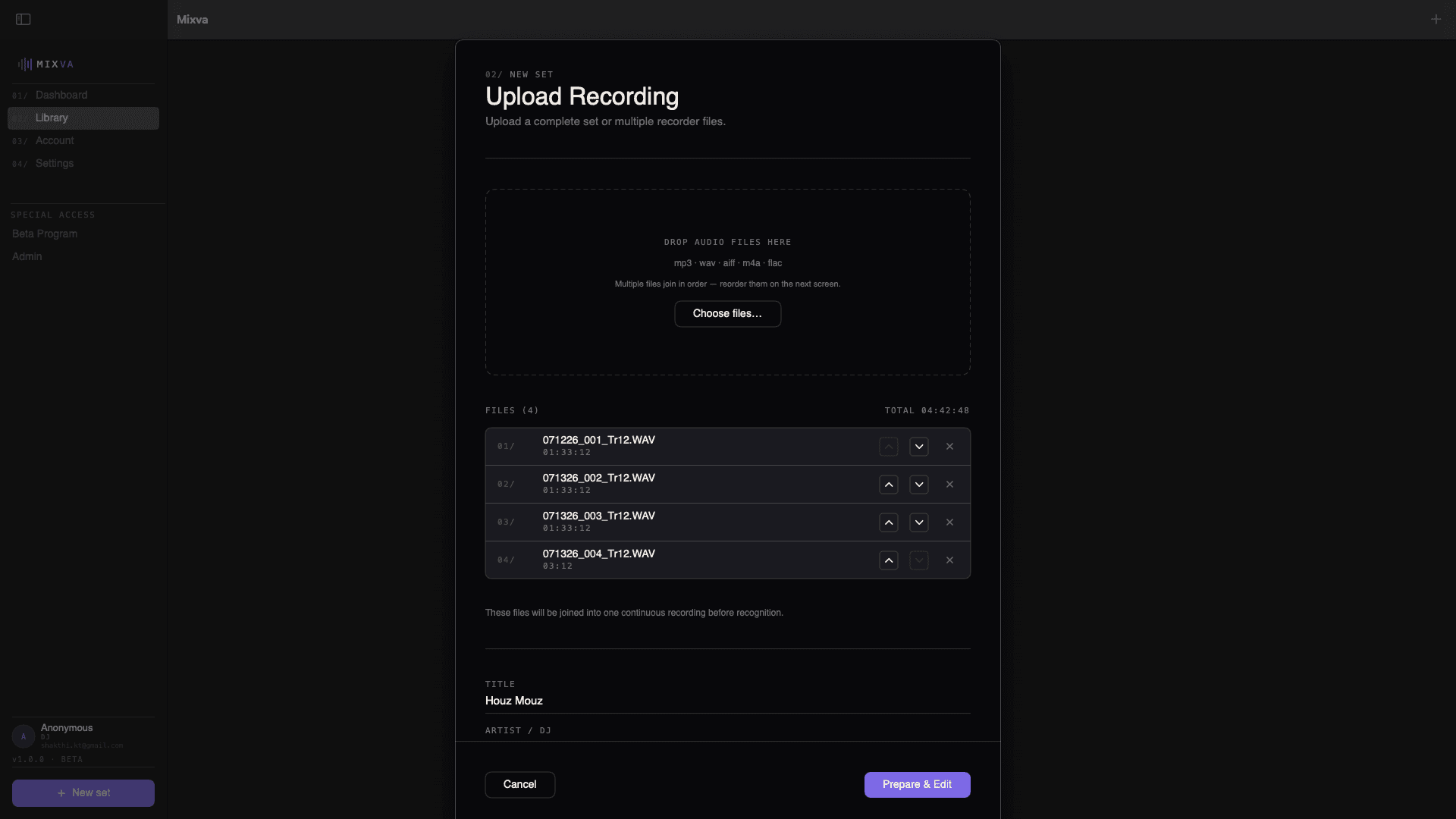
Drop the recorder file (or several, since long sets often split across the SD limit). Name the set, tag the artist, and Mixva joins them in order.
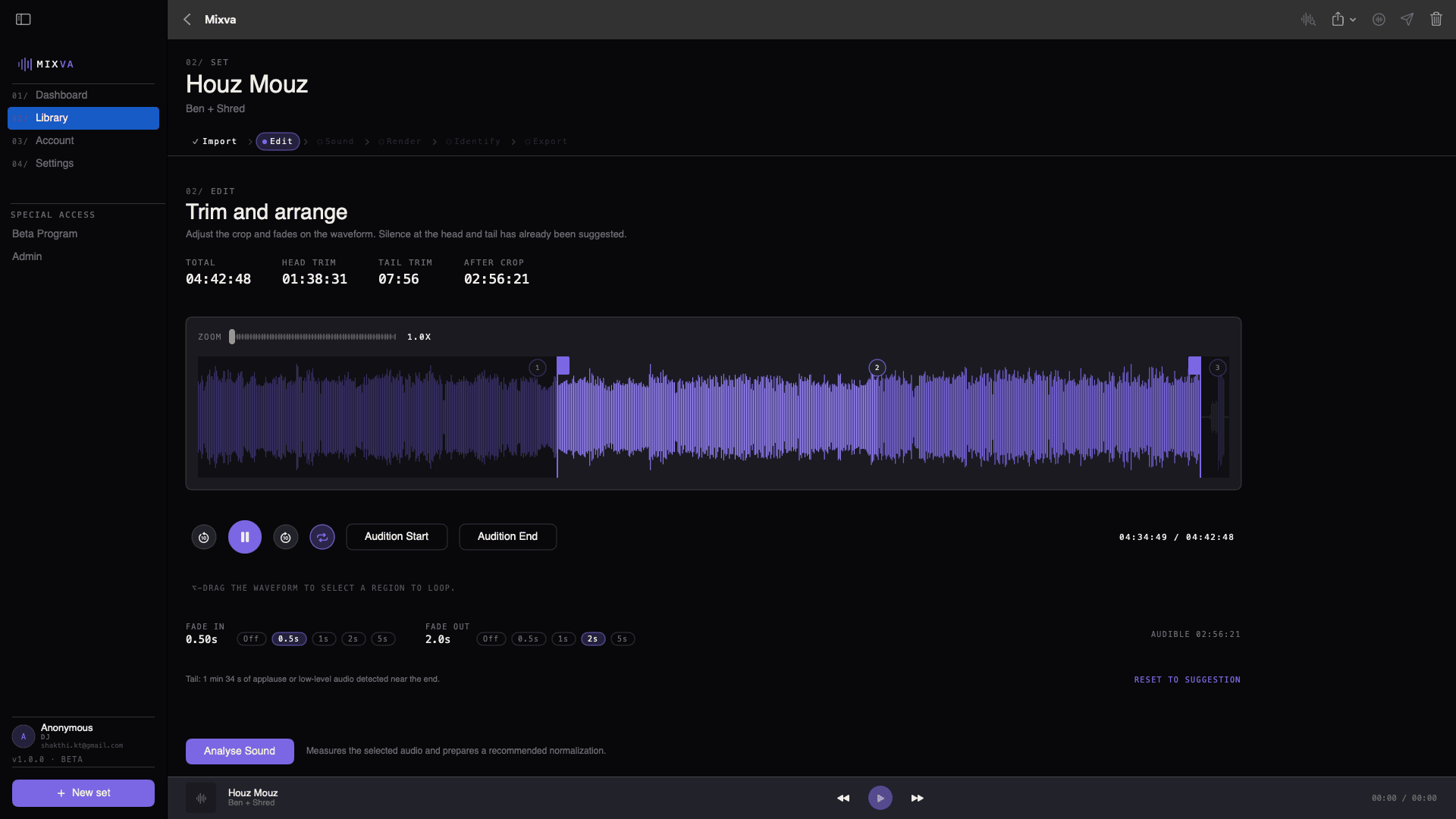
Silence detection trims the head and tail. Pick a fade in and fade out from the waveform. Audition the seams before you commit.
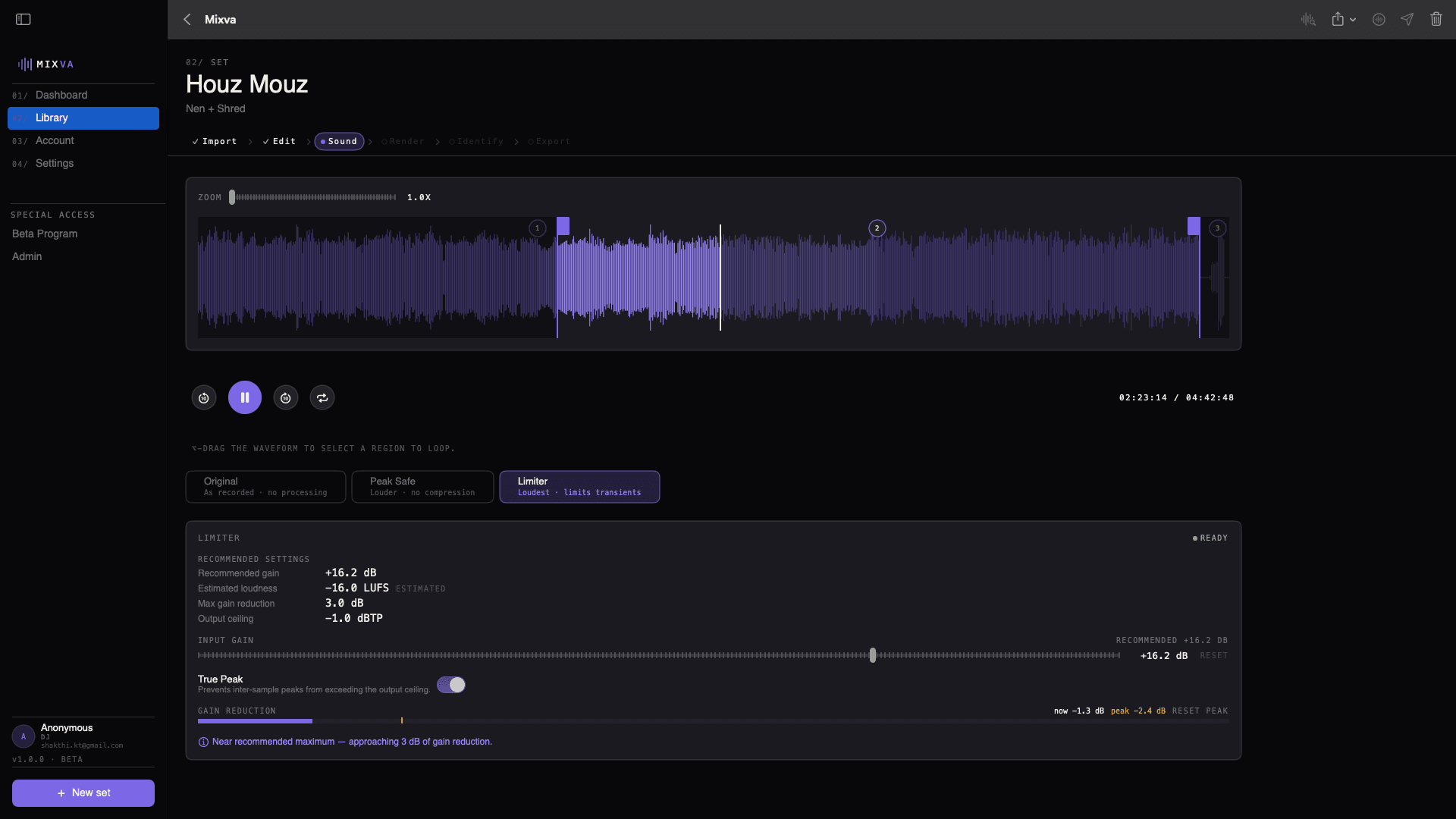
Measured on your file: integrated LUFS, true peak, loudness range. Peak-safe or look-ahead limiter with an honest projection of what the render will actually produce.
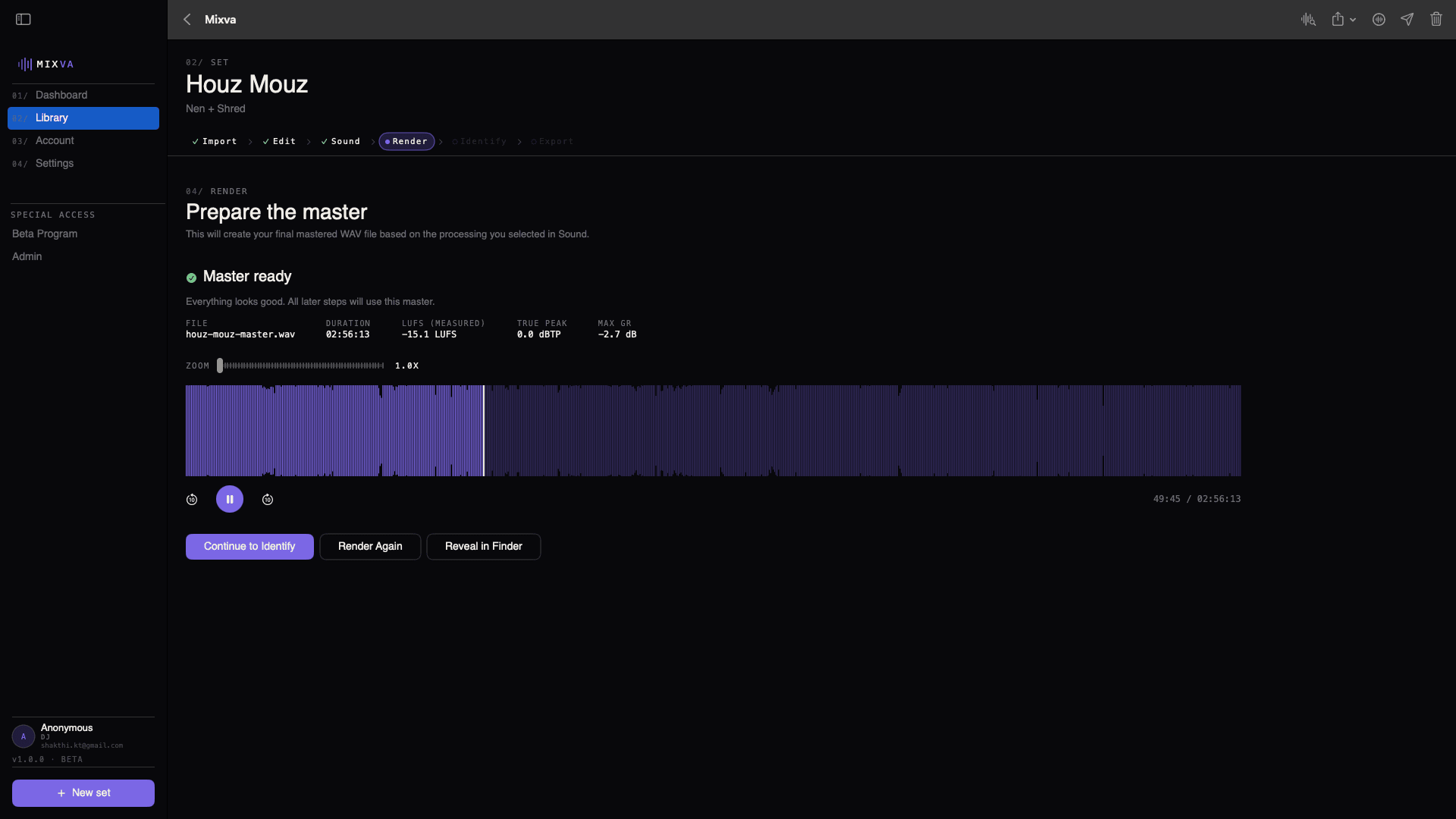
Bake the prepared audio to a 24-bit WAV inside a session-named subfolder of your working directory. Internal drive or external, your choice.
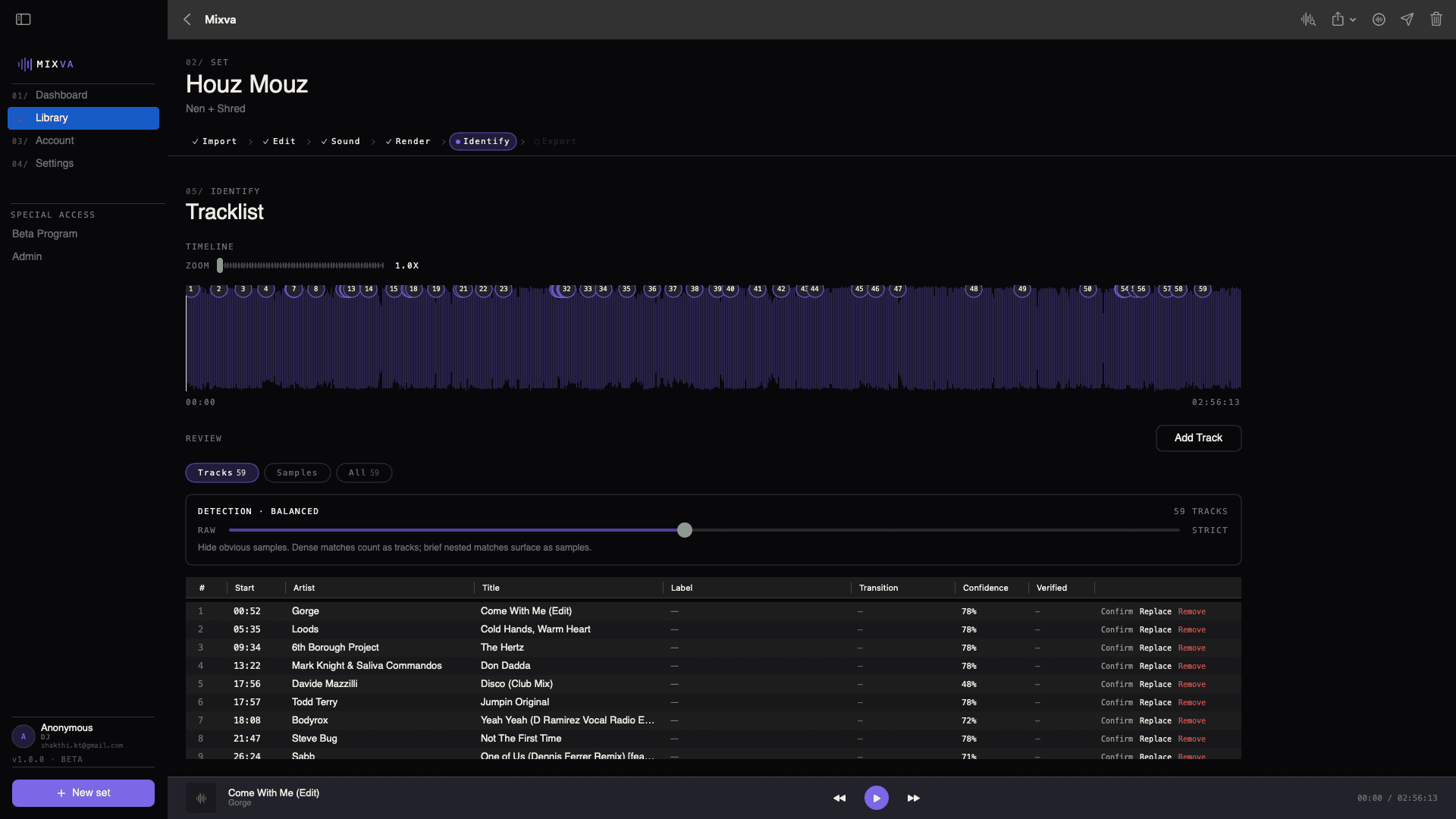
Parallel ShazamKit reads the mix and lands a numbered tracklist. Pins on the waveform match the rows in the table. Confirm what you know, replace what you don’t.
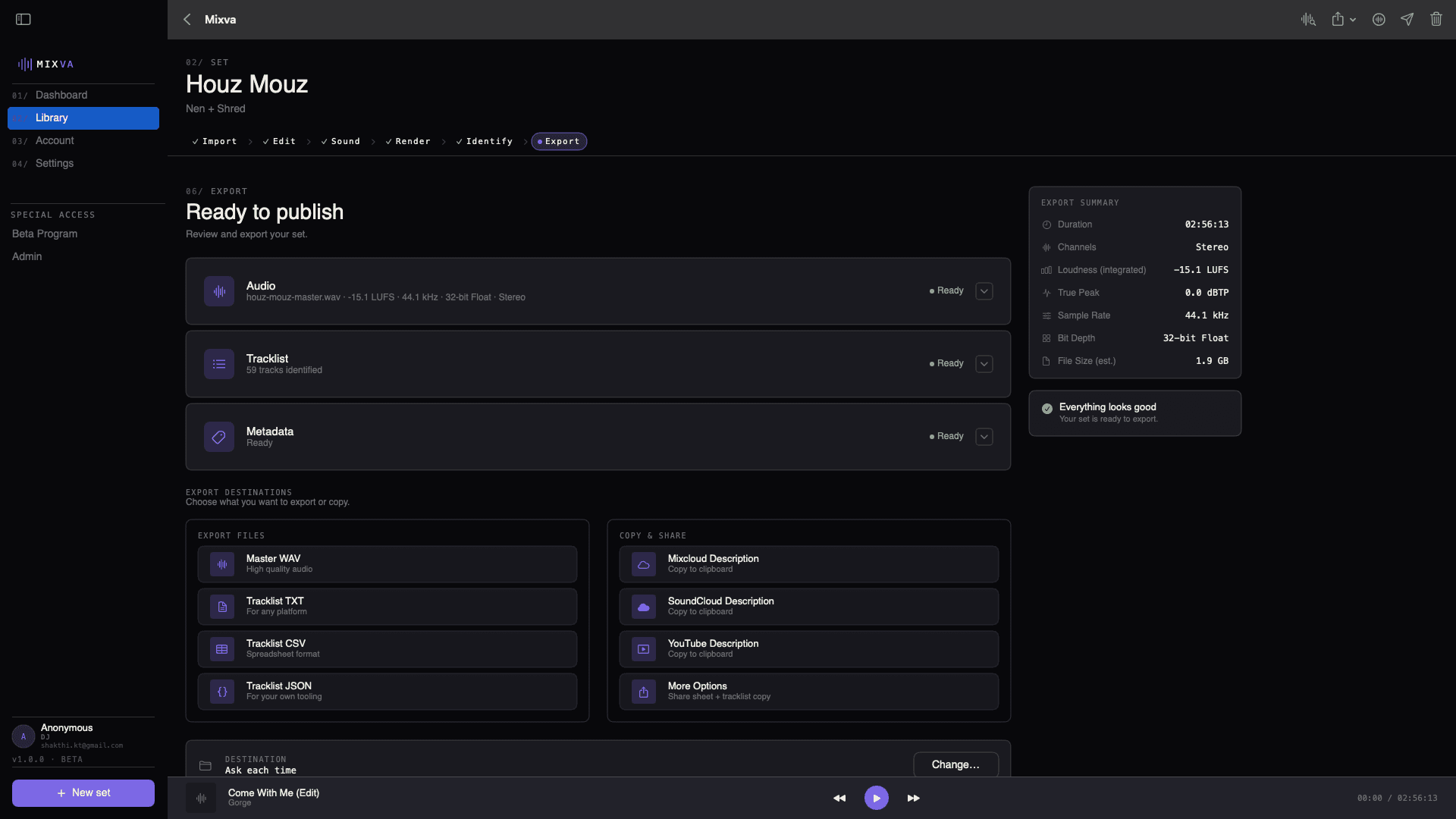
Master WAV, tracklist in every format, and platform-ready descriptions for Mixcloud, SoundCloud, and YouTube. One click and the set is out the door.
03 / Rekordbox · Coming soon
Your tracklist already exists.
Rekordbox already logs every track you played. Soon you’ll be able to import the history file for your set and Mixva will pull artist, title, remix, and label straight through, aligned to your recording’s timeline. No re-typing. No guessing. No listening back with a notepad. Today, audio recognition covers the tracklist end-to-end.
One .txt or .m3u8 from Rekordbox and the tracklist will build itself.
Timestamps will match your recording, not the CDJ’s internal clock.
Artist, title, remix, label, key, BPM. Whatever Rekordbox had.
04 / Publish
One export. Every platform.
Mixva writes the tracklist, the timestamps, the credits, and the per-platform description, formatted the way each service actually accepts it. Copy, paste, publish.
Mixcloud
Track sections + timestamps in the format Mixcloud expects.
SoundCloud
Description with tracklist, credits, and share links, ready to paste.
YouTube
Timestamped chapters + description block for the video upload.
Radio archives
TXT + CSV setlists for station databases and PRO reporting.
05 / Why DJs use Mixva
By DJs who record every set and got tired of the post-show Audacity + spreadsheet + description-template loop.
No hopping between an editor, a normalizer, a notepad, and four upload forms. It’s the same job every time.
BS.1770 loudness measured on your actual file. Peak-safe gain or a look-ahead limiter. Your recording lands on Mixcloud, SoundCloud, or YouTube at the level those platforms actually target. Not louder, not quieter.
06 / FAQ
Straight answers.
What do I need to run Mixva?
macOS 15.6 (Sequoia) or later, Apple silicon or Intel (universal binary), and around 200 MB of disk space for the app plus scratch space for renders. Mac only during beta; iPad and iPhone builds come later.
What recorders are supported?
Zoom H-series, Tascam handhelds, Pioneer DJM recorder exports, multi-track from your DAW, and plain WAV/MP3/AIFF/FLAC out of any other recorder. If it plays back, Mixva can take it.
Can I use vinyl-only or hybrid vinyl sets?
Yes. Mixva’s audio recognition builds the tracklist from the recording itself. Vinyl or digital, it doesn’t care.
Does it work with CDJs?
Yes. The recording alone is enough today; audio recognition covers the tracklist. Rekordbox history import is coming soon and will pull artist, title, remix, and label straight through.
What about Rekordbox history import?
Coming soon. For now, Mixva listens to the recording and suggests matches; you confirm. Once history import lands, it will fill in the metadata Rekordbox already logged and the recognition will cover the gaps (guest sets, B2Bs, vinyl, CDJ dropouts).
Can I export to Mixcloud and SoundCloud?
Yes. Mixva generates the tracklist + timestamps + description block in the format each platform actually accepts. Copy, paste, publish.
Does Mixva replace Audacity?
No. Audacity is a general audio editor. Mixva is specifically the workflow between "just finished recording" and "mix is live on the platform." If you’re editing a podcast, use Audacity. If you’re publishing a DJ set, use this.
What’s the pricing?
Free during beta. I believe creative tools should be affordable, so after beta Mixva will be a small one-time fee. Extras like analytics or other premium features may come later, but the core will always stay priced within reach.
When does the beta open?
Small waves, first ones going out soon. Join the list below and we’ll reach out when a slot opens.
07 / Join
Free during beta.
Small waves of DJs at a time. Leave your email and we’ll reach out when your slot opens.
Early supporters who use it, break it, and send real feedback get a free license when Mixva launches. That’s the deal. Thank you for building this with me. <3
macOS only · 15.6 Sequoia or later · Apple silicon or Intel